
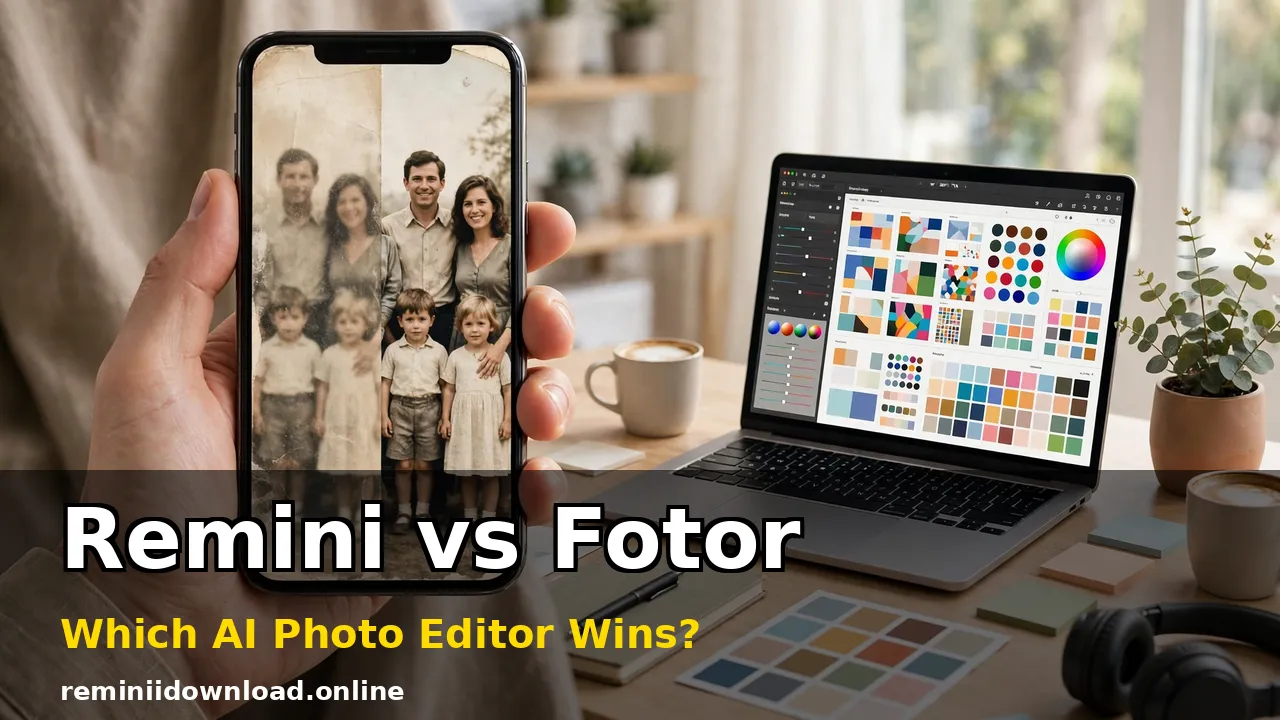
Remini vs Fotor: Which AI Photo Editor Wins? (2026)

Remini vs Fotor has a clear answer once you name your problem. Remini wins if your photos are the problem — blurry, faded, low-resolution, or decades old — because its AI rebuilds faces and lost detail better than any general editor. Fotor wins if the photo is fine but the project is not: posts to design, products to batch-edit, graphics to ship. One is a repair shop. The other is a workshop. Most comparison pages stop at listing features, so this one works differently: it runs both apps through the jobs people actually hire them for, checks what real users say after paying, and adds up what each one truly costs over a year.
Last updated: October 29, 2026
Table of Contents
The Scorecard: Nine Rounds, Two Very Different Winners
| Round | Remini | Fotor | Winner |
|---|---|---|---|
| AI enhancement quality | Rebuilds detail, faces first | Improves decent photos | Remini |
| Old photo restoration | Dedicated restore + colorize tools | Basic enhancement only | Remini |
| Video enhancement | Yes, photo and video | No equivalent tool | Remini |
| Manual editing control | Almost none | Full sliders, curves, HDR, retouch | Fotor |
| Design and templates | None | 100,000+ templates, collage maker | Fotor |
| Batch editing | Very limited | Yes, on Pro and Pro+ | Fotor |
| Free plan usefulness | A few watermarked tries | Usable Basic plan, watermarked exports | Fotor |
| Ease of use | One tap, nothing to learn | Easy, but a much bigger toolbox | Remini |
| Value over 12 months | Weekly billing adds up fast | Annual Pro costs about $3.33/month | Fotor |
Read the table as a map, not a tie. Remini sweeps everything about fixing images; Fotor sweeps everything about making things with images. The rounds below explain where those scores come from — and where each app’s marketing quietly overpromises.
Test One: The Faded Family Photo
Take the hardest common job first: a scanned family portrait from the 1980s, faded, slightly soft, with a scratch across one corner. This is the test that built Remini’s reputation, and it is not close. Remini’s Enhance and Colorize tools treat the photo as a reconstruction job. Faces come back with defined eyes, hair texture, and skin detail; washed-out colors return; noise and blur drop away in seconds. Our guide to restoring old photos with Remini walks through that full process, and it is the single best reason this app exists.
Fotor handles the same scan politely and inadequately. Its AI enhancer lifts exposure and sharpness, and its color sliders can warm the image up, but it cannot invent the facial detail that time removed. The photo looks cleaned, not restored.
One honest warning belongs here, because neither app’s ads mention it: Remini reconstructs rather than recovers. On a badly blurred face, it generates a plausible face — usually convincing, occasionally not quite the person you remember. For family archives that trade-off is normally worth it. For anything evidentiary, it is not.
Round verdict: Restoration is Remini’s home turf. If this is your job, the comparison is already over.

Test Two: The Blurry Portrait Nobody Wants to Post
The second test is the everyday one: a low-light selfie or a portrait shot on an older phone — soft, grainy, almost good. Remini’s face-focused models are again the stronger tool. They sharpen eyes and hair, rebuild skin texture, and upscale the result so it survives cropping for a profile picture. Our unblur guide covers the technique in depth. The recurring flaw is enthusiasm: skin can come back over-smoothed, and heavy enhancement occasionally drifts toward a polished stranger.
Fotor takes the opposite approach to portraits. Instead of one rebuild button, it offers controlled retouching — blemish removal, skin smoothing, red-eye fixes, teeth whitening — where you decide how far each effect goes. On a photo that is only mildly soft, that control produces the more natural result, because nothing gets reinvented. On a genuinely blurry photo, the sliders have too little to work with and Remini wins again.
Round verdict: Badly damaged portraits go to Remini. Decent portraits you want to retouch tastefully go to Fotor.

Test Three: Video — the Round Fotor Cannot Enter
Most Remini vs Fotor pages never mention video, which quietly hides one of the biggest differences between the two. Remini enhances video as well as photos: the same face-rebuilding AI can sharpen low-resolution clips, old phone footage, and compressed social videos. The results will not turn a 480p clip into cinema, but faces and edges become visibly cleaner.
Fotor is a photo and design tool. It has no equivalent video enhancement feature, so if your archive problem includes old clips — birthday videos, wedding footage shot on early smartphones — this round is a walkover. Creators reviving old content for reposting will feel this difference more than any template count.
Round verdict: Remini, uncontested.
Where Fotor Runs Away With It: Editing, Design, and Batch Work
Everything after the fix belongs to Fotor. Its editor gives you the full manual toolkit Remini refuses to offer: crop, resize, curves-style color control, HDR adjustment, lens correction, filters, frames, text, and a proper background remover for product shots and graphics. Around that editor sits a design studio with more than 100,000 templates on paid plans — social posts, posters, flyers, invitations, business cards, YouTube thumbnails — plus a collage maker and brand kits on the higher tier.

The batch editor is the feature sellers and event shooters should weigh most. On Fotor Pro and Pro+, you can apply the same crop, resize, watermark, and corrections to a whole folder of images at once. Remini has no real answer to this: it works photo by photo, which is fine for rescuing twenty family pictures and miserable for preparing two hundred product listings. Review platforms notice the same split — on G2, small businesses consistently pick Fotor for marketing material and day-to-day content production, while Remini’s praise clusters around enhancement quality.
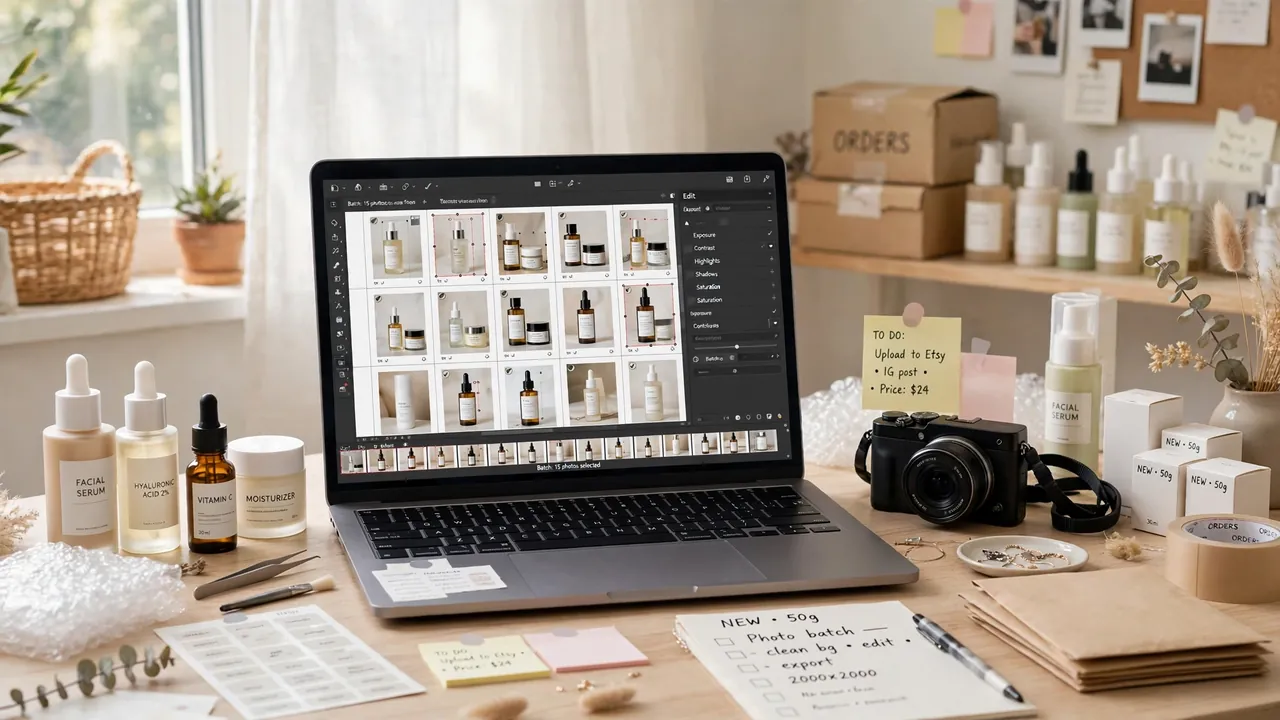
Round verdict: If your photo is already good and your deadline is the problem, Fotor is the only one of the two actually built for you.
What Real Users Say: Ratings and Recurring Complaints
Feature lists are written by the apps. Reviews are written by the people paying for them, and they add texture no spec sheet has. On G2, Remini holds the higher satisfaction score — about 4.6 out of 5 — but from a small pool of reviewers, while Fotor sits around 4.2 out of 5 across several hundred reviews, with ease of use as its most-cited strength and a slight edge lost on support (8.0 versus Remini’s 8.5). On Google Play the scale reverses the picture: Remini’s installs run into the billions with millions of ratings, while Fotor’s are in the tens of millions — Remini is the bigger consumer phenomenon; Fotor is the steadier work tool.
The complaints repeat often enough to count as data. Fotor users grumble about ads and paywalls in the free tier, features that look free until export, and subscription or refund friction — so keep your receipts and cancel inside the app store, not just the app. Remini users praise the results and wince at the price, with a recurring note that heavy enhancement can look artificial. Both patterns match the tests above: you are choosing which frustration you prefer — paying a lot for the best fix, or paying less and hitting limits.
The Real Cost Over 12 Months
Weekly pricing is where Remini comparisons usually get lazy, so here is the arithmetic. Remini’s headline plan runs around $9.99 per week. Used continuously, that pace passes Fotor Pro’s entire annual price — $39.99 a year, roughly $3.33 a month — in about a month. Longer Remini plans cut the effective rate, and the app makes sense bought in bursts: subscribe for a weekend, restore the family archive, cancel. Our Remini subscription plans breakdown tracks the current tiers, and the Remini free trial is worth using before any of this, because enhancement quality on your photos is the only number that matters.
Fotor’s structure is calmer. The free Basic plan covers basic editing and design with watermarked, non-HD exports. Pro at $8.99 a month or $39.99 a year removes the watermark, unlocks HD exports, premium templates, batch tools, and 2 GB of cloud storage. Pro+ at $19.99 a month or $89.99 a year adds brand kits, commercially licensed stock photos, and 10 GB. Unused AI credits roll over for up to five months on an active subscription, a small policy that regular users genuinely feel. You will also see unofficial Remini Mod APK builds advertised online with premium features unlocked; they are not distributed or endorsed by the developer, their contents cannot be verified, and the official trial is the safer way to test the same features.
Round verdict: Fotor wins the year. Remini wins the weekend — if you remember to cancel.
Speed, Platforms, and the Fine Print
Remini is mobile-first: iOS, Android, and a web app that covers the core enhancement flow, while its AI Photos features live mainly on mobile. Processing happens on Remini’s servers, so a single enhancement takes seconds on a decent connection and stalls without one — there is no offline mode. Fotor is browser-first, running in any modern browser with Windows, Mac, iOS, and Android apps around it, and projects sync through your account. It is the easier tool to reach for on a work laptop or Chromebook, though reviewers note the web editor can slow down on large, layered projects.

The fine print is shared: both apps process your photos in the cloud, so images leave your device either way. Neither should be your first choice for sensitive documents or client work under a confidentiality agreement, and it is worth reading each privacy policy and deleting uploads you no longer need — our Remini safety guide goes through Remini’s side of that in detail. Free tiers on both sides watermark exports, which settles the “can I just use the free one professionally” question: you cannot.
The Decision Guide: Match the App to the Photo Problem
- Old, faded, or damaged family photos: Remini. Nothing else in this comparison restores like it does.
- Blurry selfies and portraits: Remini for rescue jobs; Fotor when the photo is decent and you want retouching you control.
- Old or low-quality video clips: Remini — Fotor has no entry in this category.
- Product photos in bulk: Fotor, for batch editing, background removal, and consistent resizing.
- Social media posts, posters, and invitations: Fotor, for templates, text, and the collage maker.
- AI portrait styles and headshots: Remini’s AI Photos is the more developed toy; treat results as creative, not documentary.
- The tightest budget: Fotor’s free plan for everyday work, or one short Remini burst for a specific restoration project.
Plenty of people end up with both, in sequence: restore or enhance in Remini, then crop, caption, and design in Fotor. That two-app workflow costs more than either alone, so reserve it for photos that earn it — the ones headed for a frame, a listing, or a feed that matters. You can try both before deciding at the official Fotor site and on Remini’s official site.
Frequently Asked Questions
Which is better overall, Remini or Fotor?
Neither wins overall, because they do different jobs. Remini is better at fixing photos — enhancement, restoration, and video. Fotor is better at everything built on top of photos — editing, design, and batch production.
Can Fotor restore old photos as well as Remini?
No. Fotor can clean up an old photo and improve its color and sharpness, but it does not rebuild lost facial detail. For faded, scratched, or heavily blurred originals, Remini produces clearly stronger restorations.
Does Remini work on videos too?
Yes. Remini applies its enhancement AI to video clips as well as still photos, which is useful for old phone footage. Fotor has no comparable video enhancement tool.
Which app is better for batch editing product photos?
Fotor. Its Pro and Pro+ plans include batch editing for applying the same crop, resize, and corrections across many images at once, plus background removal. Remini works one photo at a time.
Is Fotor free, and is Remini free?
Both have free tiers with real limits. Fotor’s Basic plan is free for editing and design, with watermarked, non-HD exports. Remini’s free tier allows a limited number of enhancements, also watermarked. Serious work on either app means paying.
Which is cheaper over a full year?
Fotor, by a wide margin. Fotor Pro costs $39.99 per year. Remini’s weekly plan at around $9.99 per week costs more than that in roughly a month of continuous use, although longer Remini plans reduce the rate.
Can Remini make a photo look worse or change a person’s face?
It can change it. Because Remini reconstructs detail rather than recovering it, very blurry faces can come back over-smoothed or slightly different from the original person. Keep your originals, and check restorations of important photos carefully.
Should I use Remini and Fotor together?
For important photos, yes — that is the strongest workflow here. Enhance or restore in Remini first, then move the result into Fotor for cropping, color work, text, and design.
Conclusion
Remini vs Fotor resolves the moment you are honest about what is broken. If the photo is broken — old, blurry, faded, or trapped in a low-resolution video — Remini is the better tool by a distance its rival does not seriously contest. If the photo is fine and the work around it is what is broken — the post that needs designing, the hundred listings that need processing, the budget that needs respecting — Fotor wins just as clearly, and for a fraction of the yearly cost. Test both on your own worst photo and your own busiest project, start with the free tiers, and pay only for the one that fixes the problem you actually have.
Related Remini Guides
- Remini vs PicsArt
- Remini vs Canva
- Remini vs Polish
- Remini vs Meitu
- Remini vs Lightroom
- Remini vs Snapseed
- Remini vs Topaz
- Remini vs Lensa
- Remini vs FaceApp
- Remini Old Photo Restoration
Written by Rahul Sharma
