

Remini vs Topaz Photo AI: Which Enhancer Is Better? (2026)

Quick Answer
Remini is better for quick, one-tap photo enhancement and old-photo restoration on your phone, while Topaz Photo AI is better for professional-grade results — stronger upscaling, noise reduction, RAW workflows, and fine control on a desktop. Remini is mobile, simple, and cheap to try; Topaz is desktop software aimed at photographers who want maximum quality. Choose based on where you work: phone or computer.
That is the short version. Below is the full 2026 head-to-head — image quality, upscaling, portraits, video, RAW support, pricing, speed, and privacy — so you can pick the right enhancer for what you actually do.
Table of Contents
What Is Remini?
Remini (by Bending Spoons) is a mobile-first AI photo enhancer built around one idea: tap once, get a better photo. Open an image, hit enhance, and the app’s AI rebuilds detail, sharpens faces, removes noise, and restores old or damaged photos — all in a few seconds, with no sliders to learn.
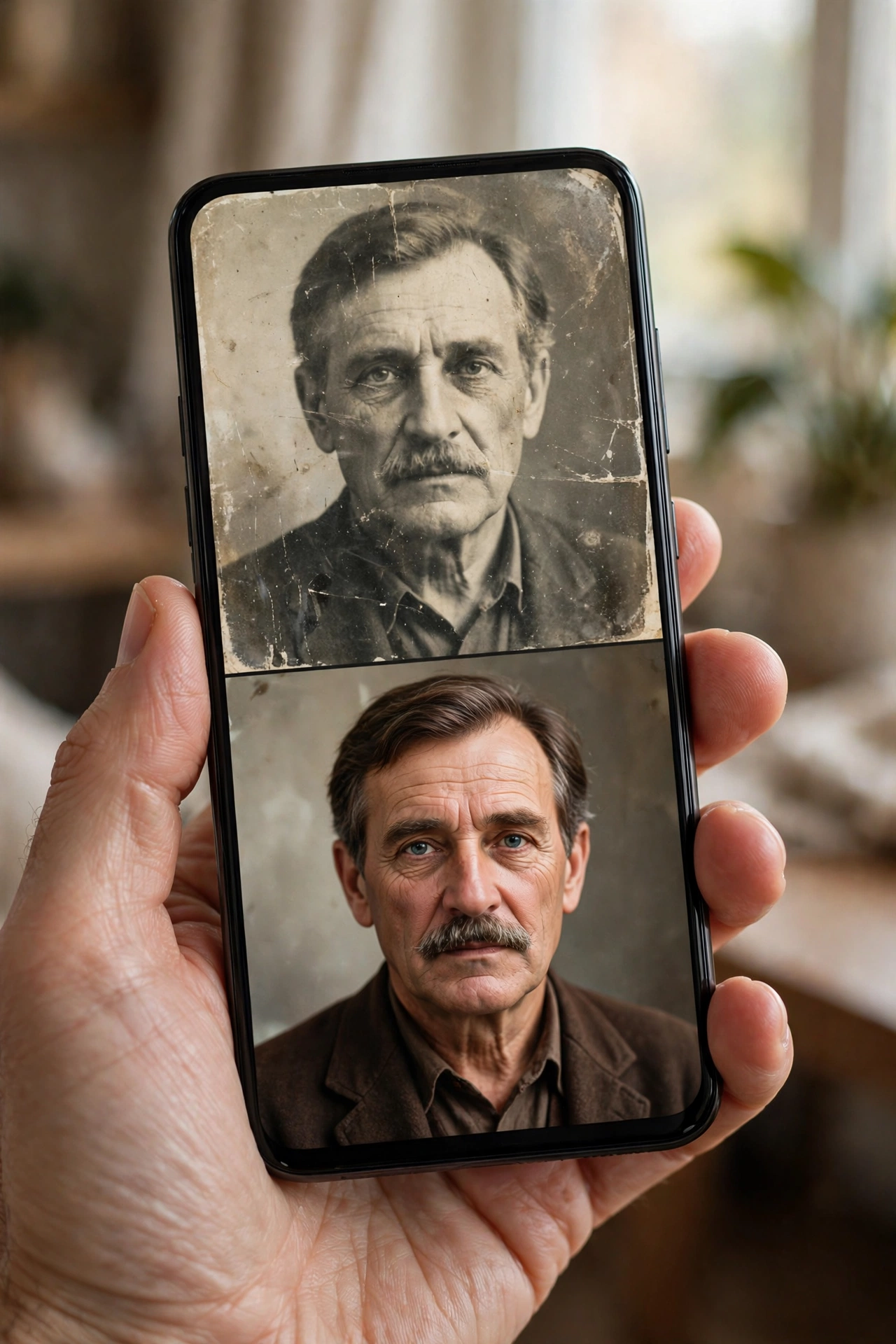
Its standout strengths are face enhancement, old-photo restoration, and sheer convenience. It is famous for rescuing blurry selfies, faded family albums, and low-resolution screenshots without any technical skill. If you are new to the app, our step-by-step guide on how to use the Remini app walks through every feature.
Remini runs on Android, iOS, and through a web app, and it processes your photos on its own cloud servers. The trade-off for all that simplicity: you get very little control over the result, and the free tier limits how many enhancements you can run. You can see the full cost breakdown in our Remini subscription plans and pricing guide.
What Is Topaz?
Topaz (Topaz Labs) is a professional AI enhancement suite for desktop computers — Windows and macOS. It is a company, not a single app, and in 2026 its lineup includes:
- Topaz Photo — the flagship all-rounder: AI denoise, sharpening, upscaling, face recovery, lighting and color correction, plus batch processing.
- Topaz Gigapixel — a dedicated upscaler for extreme enlargement with detail reconstruction.
- Topaz Video AI — the same AI approach applied to video: upscaling, denoising, stabilization, and frame interpolation.
- Topaz Studio — the all-access bundle of every app plus cloud tools.
Two big 2026 developments matter here. First, Topaz ended perpetual licenses in late 2025 — everything is now subscription-based. Second, Adobe completed its acquisition of Topaz Labs (announced June 2026), with Topaz continuing as a standalone brand and its AI models already integrated into Adobe Firefly and Photoshop.
Topaz’s core promise is different from Remini’s: maximum quality with real control. You choose specific AI models for each problem, adjust their strength, preview at 100%, and process files locally on your own GPU — your photos never have to leave your machine. The trade-offs: you need a computer with a decent graphics card, and it costs professional money.
Remini vs Topaz: Head-to-Head Comparison
| Category | Remini | Topaz Photo AI | Winner |
|---|---|---|---|
| AI photo enhancement | Excellent one-tap results, especially faces | Excellent with model choice + manual tuning | Topaz (control); Remini (speed) |
| Old photo restoration | Great automatic restoration of faded/damaged photos | Dust/scratch removal + face recovery, more precise | Remini on phone; Topaz on desktop |
| Image upscaling | Limited upscale options | Dedicated Gigapixel engine, far higher enlargement | Topaz |
| Face & portrait quality | Outstanding — Remini’s signature strength | Strong face recovery, more natural at high zoom | Remini for speed; Topaz for print |
| Noise reduction | Good automatic denoise | Best-in-class, model-based with fine control | Topaz |
| Sharpening | Good automatic sharpening | Dedicated sharpening models (motion/out-of-focus) | Topaz |
| Video enhancement | AI video enhancement, quick and simple | Topaz Video AI — professional upscaling & restoration | Topaz |
| RAW photo support | No — works on standard image files | Full RAW workflow, plugins for Lightroom/Photoshop | Topaz |
| Batch processing | Limited | Yes — batch queues across the suite | Topaz |
| Ease of use | One tap, zero learning curve | Autopilot + manual modes; needs some learning | Remini |
| Speed | Fast on mobile (cloud queue at peak times) | GPU-dependent; slow on weak machines | Depends |
| Platforms | Android, iOS, web | Windows, macOS (desktop) | Different worlds |
| Privacy | Cloud processing (uploads leave your device) | Local processing (files stay on your machine) | Topaz |
| Pricing | Freemium; ~$9.99/week for full access | Subscription ~$199/year standalone; bundles higher | Remini to try; Topaz per result |

AI Enhancement Quality: Different Strengths, One Edge to Topaz
For raw reconstruction quality on difficult material — heavy noise, motion blur, severe compression — Topaz generally produces the better final image. Its sharpening and denoise models are trained per-problem (a blurry photo gets a different model than a noisy one), and you can dial each correction’s strength. Side-by-side at 100% zoom, Topaz output usually looks more natural and less “invented.”
Remini’s quality is best where it matters to most people: faces. Its portrait enhancement remains remarkable for a one-tap tool, and for quick social-media fixes it often looks as good as Topaz with zero effort. The honest caveat: Remini’s AI sometimes invents detail it cannot truly recover — always keep the original and inspect faces at full zoom before saving anything irreplaceable.
Old Photo Restoration: Remini Wins on Your Phone, Topaz on Your Desk
This is a genuine split decision. Remini is the easiest restoration tool ever made: scan or photograph a faded, torn, or yellowed print, tap enhance, and watch decades of damage fade in seconds. Our old photo restoration guide shows how far it goes with the right scans.
Topaz takes the slower, better route: dedicated dust and scratch removal, face recovery for damaged portraits, and sharpening models tuned for scanned prints. For a family archive you intend to print or frame, Topaz’s precision wins. For restoring photos on the couch with your phone, Remini wins by a mile.
Image Upscaling: Topaz Wins Decisively
Upscaling is Topaz’s home territory. Gigapixel is built for exactly this job — enlarging images several times over while reconstructing believable texture, hair, fabric, and fine patterns. It is the tool photographers reach for when a small file must become a large print.
Remini can enlarge and clean up low-resolution images too, but its upscaling ceiling is much lower and tuned for screen viewing, not print. If upscaling is your main job, there is no contest: Topaz.
Faces and Portraits: Remini’s Signature Strength
Remini built its reputation on faces, and it shows. Blurry selfies, soft group shots, low-light portraits — Remini’s face enhancement is fast, flattering, and remarkably consistent for a fully automatic tool. For everyday portrait rescue, it is genuinely hard to beat.
Topaz’s face recovery is arguably more faithful at high magnification and handles partially damaged or unusual faces better, especially when you tune the model. But it requires a desktop, a GPU, and several minutes per image. For 95% of casual portrait fixes, Remini gets you there in seconds.
Noise Reduction and Sharpening: Topaz Wins
Topaz’s denoise and sharpen models are widely considered the best in the business — reviewers consistently rate them above what Lightroom, Photoshop’s built-in tools, and mobile apps can do on hard cases. High-ISO night shots, motion-blurred action photos, and out-of-focus misses are exactly where Topaz earns its price.
Remini’s automatic denoise and sharpening are good for typical phone-photo problems, but they offer no adjustment when the AI misjudges. For rescue work on valuable shots, Topaz is the safer, stronger tool.
Video Enhancement: Topaz Video AI Wins
Both tools touch video, but at different levels. Remini’s AI video enhancement upscales and clarifies short clips quickly on your phone — genuinely useful for old footage. Our video enhancement guide covers what it can and cannot do.
Topaz Video AI is a different animal: dedicated models for upscaling to 4K and beyond, denoising, deinterlacing old footage, stabilization, and frame interpolation, all with preview and batch queues. It is slower and far more demanding on hardware, but for serious video restoration it is in another league. If video is your main job, Topaz wins clearly.
RAW Files and Pro Workflows: Topaz Only
This category is not close because Remini does not compete in it. Topaz Photo works with RAW files end-to-end and plugs directly into Lightroom Classic, Photoshop, Capture One, Premiere Pro, and DaVinci Resolve. Photographers can batch-process entire shoots without leaving their normal workflow, and everything renders locally.
Remini works on standard image files (JPEG/PNG) through its app or web uploader. If you shoot RAW or live inside Adobe software, Topaz is the only choice of the two.
Ease of Use: Remini Wins
Remini is the simplest enhancer on the market: open a photo, tap enhance, wait a few seconds, done. There is nothing to learn, and that is precisely why tens of millions of people use it.
Topaz has an Autopilot mode that automates most corrections, and its interface is clean for professional software — but there is still a real learning curve: choosing models, adjusting strengths, understanding previews, and managing GPU settings. Beginners get results faster with Remini, full stop.
Speed and Hardware: An Honest Split
Remini is fast on any phone because the heavy lifting happens on its cloud servers — though during peak hours you may wait in a processing queue, and you need an internet connection.
Topaz renders locally, so speed depends entirely on your GPU. On a modern dedicated graphics card it is quick; on integrated graphics or older machines it can be painfully slow, especially for video. Topaz’s 2026 NeuroStream technology cut VRAM demands significantly, but a capable computer remains a prerequisite. If you have no GPU to speak of, Remini is the practical choice.
Pricing and Free Tiers: Remini Is Cheaper to Try, Topaz Costs Pro Money
Remini is freemium: a limited number of free enhancements, then roughly $9.99/week for full access. One honest warning from user reports: Remini’s subscription has a documented history of billing complaints, including charges continuing after cancellation — read our guide on how to cancel a Remini subscription before you subscribe so you know exactly how to stop it.
Topaz is subscription-only since late 2025 (perpetual licenses are gone): around $199/year for the standalone Photo app, with the full Studio bundle near $399/year. Free trials with limited exports let you test quality before paying. The math is simple: Remini costs less per month but keeps charging weekly; Topaz costs more upfront but targets professionals who will use it constantly.
Privacy: Topaz Wins
Worth stating plainly: Remini uploads your photos to its cloud servers for processing, while Topaz processes everything locally on your computer. If you enhance sensitive images — client work, documents, family photos you would rather not upload — Topaz’s local processing is the privacy-safer option. Remini’s privacy policy covers its cloud handling, but nothing beats files never leaving your machine.
Who Should Use Remini?
- Casual photographers fixing selfies, travel shots, and screenshots fast
- Family archivists restoring old photos on their phone
- Social media users who want one-tap results with zero learning curve
- Anyone without a powerful computer — Remini needs only a phone and internet
Who Should Use Topaz?
- Photographers who shoot RAW and need print-quality output
- Videographers restoring or upscaling footage professionally
- Anyone rescuing difficult files — heavy noise, blur, extreme upscaling
- Privacy-conscious users who want local processing
Can You Use Both Together?
Yes, and for some workflows it makes sense: restore and enhance a photo in Remini on your phone, then bring the result into Topaz on your desktop for final upscaling, sharpening, or print preparation. But be honest about whether you need both — for most people, one tool matches their workflow and the other would sit unused. If you mainly work on your phone, Remini alone is enough; if you mainly work on a computer, Topaz alone is enough. If you are still weighing simpler options, our roundup of the best Remini alternatives covers lighter tools too.
Frequently Asked Questions
Is Topaz better than Remini for photo quality?
For maximum quality — especially noise reduction, sharpening, and large upscaling — yes, Topaz generally produces better results, with more natural detail at 100% zoom. For quick face enhancement on a phone, Remini is faster and often looks just as good at screen size.
Is Remini easier to use than Topaz?
Yes. Remini is one tap with no settings to learn. Topaz has an Autopilot mode but still requires choosing models and adjusting strengths for best results, plus a computer with a decent GPU.
Can Remini upscale photos like Topaz Gigapixel?
Not to the same level. Remini enlarges and cleans up low-resolution images for screen viewing, but Topaz Gigapixel is purpose-built for extreme enlargement with reconstructed detail — the standard choice for large prints.
Which is better for old photo restoration, Remini or Topaz?
On a phone, Remini — it is the fastest automatic restoration available. On a desktop, Topaz offers more precise dust/scratch removal and face recovery. For prints and framing, Topaz’s control wins; for convenience, Remini wins.
Is Topaz Photo AI free?
No. Topaz moved to subscription-only pricing in late 2025 (about $199/year for the standalone Photo app). Free trials with limited exports are available. Remini offers a limited free tier with a paid subscription for full access.
Does Topaz work on mobile phones?
Topaz’s apps are desktop software for Windows and macOS (plus plugins for Lightroom, Photoshop, and video editors). Remini is the mobile-first option, available on Android, iOS, and the web.
Can I use Remini and Topaz together?
Yes. A common workflow is quick enhancement in Remini on your phone, then final upscaling or print preparation in Topaz on your desktop. Most people only need one, matched to where they work.
Which should I choose in 2026?
Choose Remini if you want fast, one-tap enhancement on your phone for everyday photos and old prints. Choose Topaz if you are a photographer or videographer who needs maximum quality, RAW support, and professional control on a desktop.
Conclusion
Remini vs Topaz is not really a fight between two apps — it is a choice between two workflows. Choose Remini for fast, one-tap AI enhancement on your phone; choose Topaz Photo AI for professional-grade quality, upscaling, and control on your desktop. Match the tool to where you work, start with the free trial or free tier, and upgrade only when the results justify the cost.
For official downloads, pricing, and trials, visit the official Topaz Labs website and the official Remini website. Whichever you choose, keep your originals — AI enhancement is powerful, but the untouched file is always your safety net.
Disclaimer: We are not affiliated with Topaz Labs, Adobe, or Bending Spoons (Remini). All trademarks belong to their respective owners. Pricing information is current as of October 2026 and may change — always verify on the official sites. This article is for informational and educational purposes only.
About the author: Hi, I’m Rahul Sharma — a tech enthusiast and digital content creator from India. For over 4 years I’ve helped users find safe, reliable apps, and I founded ReminiDownload.online to make photo enhancement accessible to everyone without expensive subscriptions. Note: I am not affiliated with Bending Spoons or the developers of any app mentioned here; all rights belong to their respective owners. I share information for educational purposes only and never host harmful files — your safety is my top priority.
