

Remini Pregnancy AI: Try the Viral Maternity Trend (2026)

Remini Pregnancy AI turns 8 of your selfies into realistic AI-generated maternity photos — you with a baby bump in elegant pregnancy-photoshoot scenes — in about 10 minutes, right inside the Remini app’s AI Photos feature. This is the same viral “pregnancy filter” you’ve seen all over TikTok. In this 2026 guide, you’ll learn exactly how the feature works, the step-by-step process, what it costs, how to get the most realistic results, and the honest limitations nobody talks about.
Table of Contents
What Is Remini Pregnancy AI?
Remini Pregnancy AI is a generative model inside Remini’s AI Photos feature (by Bending Spoons) that creates professional-looking maternity portraits starring you. You upload a set of clear selfies, and the AI generates a batch of images showing you with a realistic baby bump — dressed in flowing gowns, posed in soft studio light or dreamy outdoor settings.
This is the engine behind the viral TikTok “pregnancy filter” trend: users share hyper-realistic AI images of themselves looking nearly full-term, surprising followers who don’t realize the photos were generated by an app. The trend keeps resurfacing — it went massive in 2023 and is still circulating in 2026, because the results genuinely fool people at first glance.
Here’s the distinction that matters: Remini’s core Enhance tool sharpens photos you already took. Pregnancy AI does the opposite — it generates entirely new images of you. The photos are synthetic. No camera, no studio, no real pregnancy involved. Understanding that difference keeps your expectations (and your social media captions) honest.
The feature sits in the same AI Photos family as Remini’s other viral models — the Baby AI generator that predicts your future child’s face, Wedding AI for AI wedding photoshoots, AI Headshots for professional portraits, and AI Avatars for stylized portraits. Pregnancy AI is the maternity-photoshoot member of that family: same face-training pipeline, different model images.

How Remini Pregnancy AI Works
Every AI Photos model in Remini runs on the same four-stage pipeline. Knowing it helps you get dramatically better results than users who just tap through randomly:
- Face training. You upload 8 selfies from your camera roll. Remini’s servers analyze your facial structure, skin tone, and features, then build a personalized AI model of your face. This is why the generated maternity photos actually look like you — and why blurry uploads produce strangers.
- Gender selection. You pick a gender so the app applies appropriate styling. The pregnancy model is designed for female-presenting results.
- Model selection. You browse the model gallery — the pregnancy filter typically sits under “Top Picks” — and choose a maternity-style model image. This is the reference the AI mimics: the pose, the gown, the setting, the lighting.
- Generation. The AI combines your trained face model with the chosen maternity style and generates a batch of photos, usually in a few minutes. You review the batch, save favorites to your camera roll, and can regenerate with different model images for new variations.
One honest technical note: the AI invents these photos. They are not enhanced versions of your selfies — they’re synthetic portraits built around your facial identity. On good uploads the resemblance is striking; on bad ones, the face drifts and the “pregnancy” looks like a stock photo with your name on it. The entire quality game is won at the selfie-upload step.
How to Use Remini Pregnancy AI: Step-by-Step
If you’re new to the app, start with our complete guide on how to use the Remini app, then follow these steps:
- Download and install Remini from the Google Play Store or Apple App Store, open it, and create an account (email, Google, Facebook, or Apple sign-in all work).
- Tap “AI Photos” at the bottom of the home screen. This is the hub for every generative model, including Pregnancy AI.
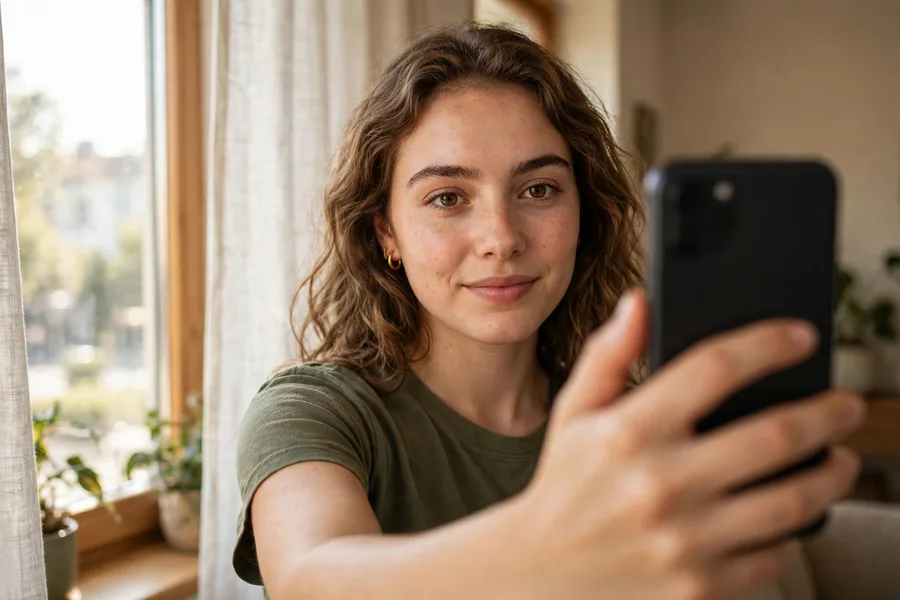
- Pick 8 photos from your camera roll. Choose clear, front-facing selfies with good lighting — no sunglasses, hats, or heavy filters. A mix of angles and expressions helps the AI learn your face accurately.
- Choose your gender. Select the option that matches how you want to appear in the maternity photos.
- Find the pregnancy filter. Look under “Top Picks” — the pregnant filter lives there. Tap it, then select a specific model image (style) you like.
- Tap “Use this model image.” The app begins generating your AI maternity photos. This usually takes a few minutes — watch for the picture to develop.
- Save the results. Swipe through the batch and save your favorites to your camera roll. You can generate more photos or switch model images for new variations anytime.
Do you need to pay? Pregnancy AI is a premium feature. If you don’t have an active subscription, the app will prompt you to start one — a free trial is often offered, which unlocks AI Photos models. Just remember to cancel before the trial converts if you don’t want to keep it (our cancellation guide walks through that).
Pregnancy AI Styles & Maternity Looks to Try
Remini rotates its AI Photos catalog with trends, so the exact lineup shifts — but the pregnancy model family consistently offers these kinds of looks:
- Classic studio maternity portraits. The staple: elegant flowing gowns, soft draped fabrics, gentle studio lighting, and warm blurred backgrounds. The “professional maternity shoot” look without the photographer bill.
- Outdoor golden-hour scenes. Meadow, beach, and garden backdrops with dreamy sunset light — the AI places you in full scenes, not just headshots.
- Artistic and editorial styles. High-contrast black-and-white portraits, painterly soft-focus looks, and fashion-magazine-style compositions appear in the model gallery periodically.
- Casual lifestyle looks. Cozy sweater-and-jeans style portraits that look like candid at-home maternity photos — these are the ones that fool people most easily on social media.
Pro tip: Save any model image you love the moment you see it. The AI Photos catalog rotates with trends, and a style you skip today might disappear before your next session.
7 Tips for the Most Realistic AI Maternity Photos
The difference between jaw-dropping results and obvious fakes comes down to input quality:
- Upload sharp, well-lit selfies. Blurry or dark photos train a blurry model of your face. Take fresh selfies in daylight near a window if your camera roll is full of nightclub shots.
- Show your real face. No sunglasses, no masks, no heavy Snapchat-style filters, no extreme angles. The AI needs to see your actual facial structure from multiple angles.
- Vary your expressions and angles. Eight photos staring straight ahead with the same smile gives the AI less to learn from. Mix in three-quarter turns and natural expressions.
- Keep makeup and grooming consistent. If you upload some photos with heavy makeup and others bare-faced, the model averages them into someone in between — and neither looks quite like you.
- Match your body type expectations. The AI generates a standardized “maternity” body — it won’t replicate your actual build. The face is the personalized part; the bump is the model’s.
- Generate multiple batches. Your first batch is rarely the best. Run two or three generations with different model images and cherry-pick the winners.
- Enhance the winners. Once you have a great AI maternity photo, run it through Remini’s regular Enhance tool to sharpen details and upscale it for sharing or printing. Our best Remini settings guide shows how to squeeze maximum quality out of the export.
Is Remini Pregnancy AI Free? Pricing Explained
Short answer: no, not really. Pregnancy AI sits behind Remini’s premium subscription, like all AI Photos models. The free version of the app covers basic photo enhancement (with daily limits and ads), but generative models require a paid plan.
What you can do for free:
- Start the free trial. Remini regularly offers a trial period for new users, which unlocks AI Photos including Pregnancy AI. Set a reminder to cancel before the trial converts if you only want the one-time experience.
- Check for promo windows. Remini occasionally makes specific AI models temporarily accessible during promotional pushes — viral trend moments are the most likely windows.
Our Remini subscription plans breakdown covers current pricing tiers and whether the subscription is worth it beyond Pregnancy AI. Prices vary by region and change often, so always check the in-app pricing page before committing.
A warning about “free” workarounds: Search results are full of sites promising unlocked Pregnancy AI through modified APKs. Those carry real risks — malware, account bans, and broken features after app updates. Read our Is Remini Safe review before trusting any third-party download.
Honest Limitations You Should Know
Before you dive in, here’s what the thin guides won’t tell you:
- The photos are synthetic. They look real, but they’re AI inventions. Don’t use them to mislead people about an actual pregnancy — the prank trend is fun, but know where the joke ends.
- Your selfies upload to Remini’s cloud servers. The face-training step requires sending your photos to Remini’s servers for AI processing. Avoid uploading sensitive images, and check Remini’s official help center for the latest privacy terms if that concerns you.
- The bump isn’t personalized. Only your face is trained; the body, bump, and setting come from the model image. Results can look slightly generic from the neck down.
- The catalog rotates. If the pregnancy filter isn’t under Top Picks today, check back — Remini cycles AI Photos models with trends and seasons.
- Generation isn’t instant. Expect a few minutes per batch, longer during peak viral moments when servers are busy.
Remini Pregnancy AI vs Baby AI: Don’t Confuse Them
These two get mixed up constantly because they both went viral around family themes — but they’re completely different features:
| Pregnancy AI | Baby AI | |
|---|---|---|
| What it generates | Maternity portraits of you with a baby bump | A predicted face of your future child |
| Photos needed | 8 selfies of one person | Photos of both parents |
| The joke | “Look, I’m pregnant!” | “Look, this is our baby!” |
| Full guide | This article | Remini Baby AI |
If you want to see what your future child might look like, read our Remini Baby AI guide instead.
Frequently Asked Questions
What is Remini Pregnancy AI?
Remini Pregnancy AI is a generative model inside Remini’s AI Photos feature that creates realistic maternity-style portraits of you from 8 uploaded selfies. It went viral on TikTok as the “pregnancy filter” — users share AI-generated images of themselves with a baby bump in elegant photoshoot scenes.
How do I get the viral TikTok pregnancy filter?
It’s Remini’s Pregnancy AI model. Download Remini, tap AI Photos at the bottom, upload 8 selfies, choose your gender, find the pregnancy filter under “Top Picks,” tap “Use this model image,” wait a few minutes, and save the results to your camera roll.
Is Remini Pregnancy AI free?
No — it’s a premium feature that requires a subscription. However, Remini often offers a free trial to new users, which temporarily unlocks AI Photos models including Pregnancy AI. There is no unlimited free path to the feature.
How many selfies do I need for Remini Pregnancy AI?
Remini asks for 8 photos from your camera roll for the Pregnancy AI model. Use clear, front-facing, well-lit selfies with varied angles and expressions — and no sunglasses, hats, or heavy filters — for the most realistic results.
How long does Remini Pregnancy AI take to generate photos?
Usually a few minutes per batch. The face-training and generation steps run on Remini’s cloud servers, so timing varies with server load — expect longer waits during peak viral periods.
Is Remini Pregnancy AI safe to use?
The official app is safe to install from the Play Store or App Store, but remember your selfies upload to Remini’s cloud servers for AI processing. Avoid uploading sensitive images, and never download “mod” versions from third-party sites — they carry malware and ban risks. See our full safety review.
Does Remini Pregnancy AI work on iPhone?
Yes. Remini and its AI Photos features — including Pregnancy AI — work on both iOS and Android. The steps are identical on both platforms.
Will my AI maternity photos actually look like me?
The face is personalized — the AI trains on your 8 selfies — but the body, bump, and setting come from the model image you choose. Resemblance quality depends almost entirely on your input selfies: sharp, well-lit, varied photos produce the most convincing results.
Conclusion
Remini Pregnancy AI is one of the app’s most entertaining features: upload eight selfies, wait a few minutes, and you’re looking at yourself in an elegant maternity photoshoot you never attended. The results can be genuinely startling — provided you feed the AI quality selfies, accept that it’s a premium feature, and keep expectations honest about AI-generated faces.
Use it for the trend, the laughs, and the surprisingly frameable portraits. Just don’t mistake it for reality — and don’t pay for a subscription without trying the free trial first. For everything else Remini can do with your photos, from predicting your future baby’s face to creating professional headshots, the rest of our guides have you covered.
By Rahul Sharma — Remini Download is an independent review site. We test every app ourselves and only recommend tools we’d use on our own photos.
