
Remini AI Avatars: Create Stunning AI Photos in 2026

Remini AI avatars turn 8–12 of your selfies into dozens of stylized, studio-quality AI portraits. Open the official Remini app, tap AI Photos, upload your selfies, choose a model image, and the AI generates professional-looking avatars in minutes — no photoshoot required.
That is the short version. If you want avatars that actually look like you (instead of a vaguely similar stranger), the details matter: which elfies you upload, which model images you pick, what it costs, and what happens to your photos afterward. This guide covers all of it, honestly.
Table of Contents
What Are Remini AI Avatars?
Remini AI avatars are AI-generated portraits created from your own photos. The feature lives under AI Photos in the Remini app — the AI photo enhancer from Bending Spoons. Instead of enhancing an existing photo, the AI trains on your facial features from 8–12 uploaded selfies and then generates brand-new images of “you” in different styles, outfits, poses, and settings.
Think of it as a virtual photoshoot. Traditional headshot photography costs hundreds of dollars and a free afternoon; Remini’s avatar generator delivers a gallery of portraits in about 10–20 minutes for the price of a subscription. The avatars look remarkably realistic because the AI has already learned your face from the training photos — it is not inventing a random person, it is rendering your features in new scenarios.
Remini AI avatars went viral in mid-2023 during the AI-photo trend wave, when users flooded social media with their generated portraits. The feature never left the app — it is still there in 2026 under AI Photos, and it remains one of Remini’s most-used premium features. If you are new to the app overall, our complete guide to using Remini walks through every tool it offers.
How to Create AI Avatars with Remini: Step-by-Step
The whole process takes about 15 minutes of active time plus AI processing time. Here is the exact sequence in the current app:
- Open the Remini app. Download it free from the Google Play Store (Android) or App Store (iPhone), or use Remini Web in your browser. Sign in with your Apple, Google, or Facebook account.
- Tap “AI Photos” on the home screen. This is the dedicated section for generative features — separate from Enhance and the other retouching tools.
- Start a new model training. Tap Create AI Photos or the plus button to begin. You may see a subscription upsell screen — close it with the X in the top corner if you are not ready to pay yet (you will need premium to actually generate avatars, more on pricing below).
- Upload 8–12 selfies. Pick photos that clearly show your face: front-facing, side angles, different expressions, varied lighting. The app guides you through selecting them from your camera roll. Quality matters enormously — good training photos are the difference between avatars that look like you and ones that do not.
- Select your gender. Choose the option that matches how you want the avatars styled — this shapes the model images and outfits the AI offers.
- Choose a model image. Browse the style gallery: professional headshots, casual lifestyle shots, fantasy portraits, seasonal themes. Pick the look you want for this batch of avatars.
- Start generation. Tap generate and let the AI work. Training the model plus rendering avatars typically takes 5–20 minutes depending on server load. You do not need to keep the app open.
- Review and save. Remini delivers a set of avatars based on the model image you chose. Swipe through them, save your favorites to your camera roll, and share them directly to Instagram, TikTok, or wherever you like.
Note: Some older app walkthroughs describe tapping “Get Started,” dismissing subscription pop-ups, and an “I’ll do it later” flow. The current app streamlines this into AI Photos, but the core requirement has not changed: you still upload 8–12 selfies and still pick a model image before generation.
Upload Requirements: Which Selfies Work Best?
Avatar quality is decided at the upload step. The AI can only learn your face as well as your training photos show it. Follow these rules:
- Use 8–12 clear, front-facing photos. The app requires a minimum set — fewer photos means the AI guesses more and the avatars look less like you.
- Show your face straight-on and unobstructed. No sunglasses, no heavy filters, no hand covering your face. The AI needs to learn your actual features.
- Vary the angles and expressions. Mix front-facing shots with slight side angles, smiling and neutral expressions. Variety teaches the model your face in 3D, not as one flat pose.
- Use good, even lighting. Natural daylight beats harsh flash or dim indoor light. Avoid photos with heavy shadows across your face.
- Use recent photos. Your current hairstyle, facial hair, and glasses should match — the AI renders what it sees in the training set.
- One person per photo. Group shots confuse the model. Crop to just yourself.
- Skip the filters. Upload raw, unedited selfies — beauty filters and heavy editing actually make avatars worse by hiding the features the AI needs to learn.
For general enhancement tips that apply to your selfies too, see our guide to the best Remini settings.
Best AI Avatar Styles and Model Images
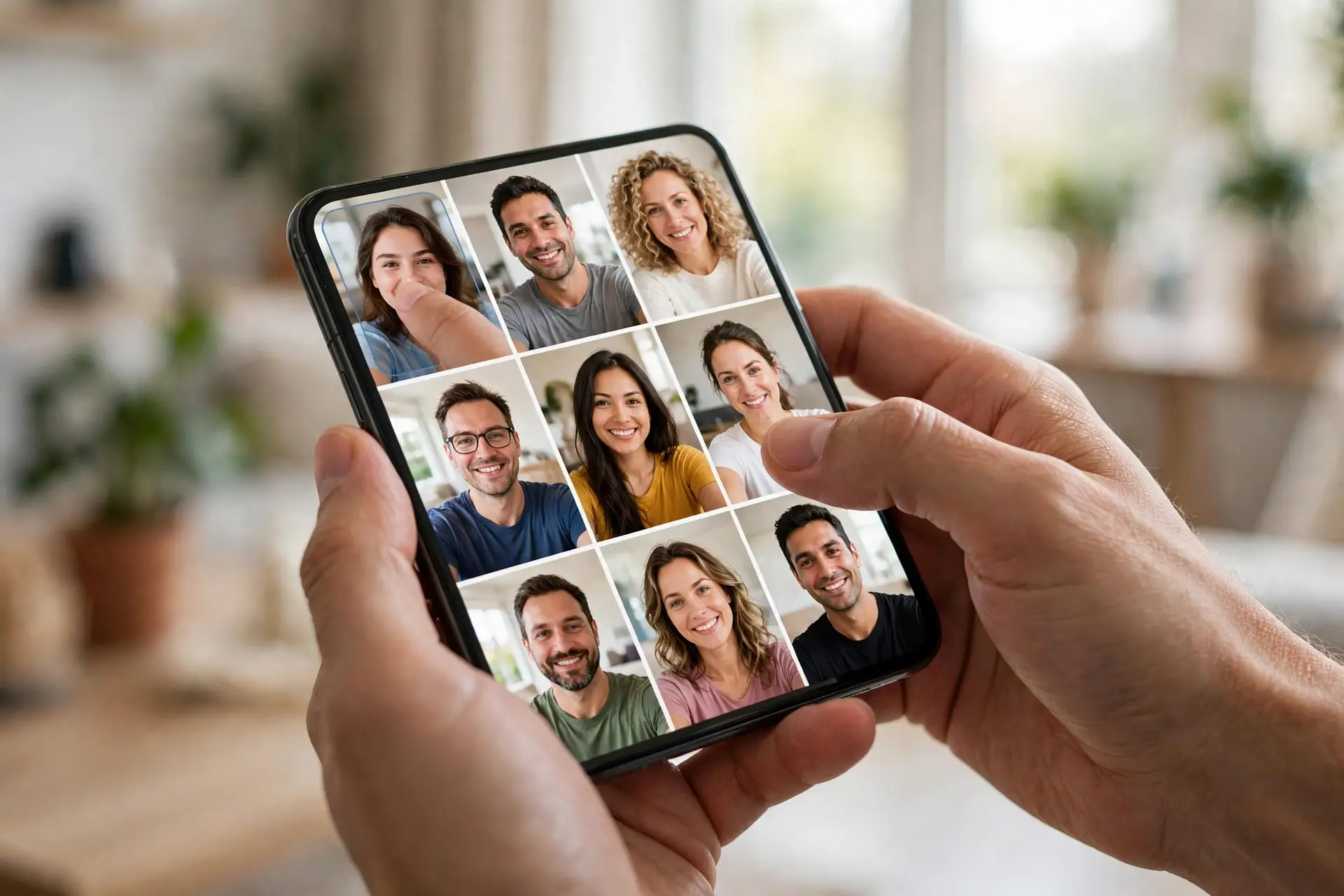
The style gallery is where the fun happens. Remini rotates seasonal and trending model images, but the core categories stay consistent:
- Professional headshots. Suit-and-tie or business-casual portraits with studio lighting — the most popular category. These make genuinely usable LinkedIn profile photos for a fraction of a photoshoot’s cost.
- Casual lifestyle. Outdoor shots, coffee-shop portraits, urban backgrounds — the “influencer look” without leaving home.
- Artistic and fantasy. Painterly, cinematic, and stylized renders for creative profile pictures.
- Seasonal and trending. Holiday themes, wedding styles, and whatever is currently going viral — this is where the app cycles new model images most often.
Tip: Generate one batch per model image rather than mixing styles in a single training run. The AI renders sharper, more consistent results when it focuses on one aesthetic at a time. If a batch comes out looking “off,” it is usually the model image clashing with your training photos — try a different style instead of blaming the selfies.

Remini AI Avatars: Free vs Premium
Honest answer first: AI avatar generation is a premium feature. The free plan lets you download the app and browse, but generating avatars requires Remini Pro. Here is the breakdown:
- Free plan: No avatar generation. You can explore the AI Photos section and see the model images, but the generate button requires a subscription.
- Remini Pro (weekly/monthly/yearly): Unlocks AI avatar generation along with unlimited enhancements, video enhancement, ad removal, and priority processing. Each model-image generation consumes one “AI Photos session” — you can retrain and generate new batches while your subscription is active.
- Pro Cards: Some avatar generations and one-time uses are handled through Remini’s Pro Cards system rather than the subscription. If you only want a single batch of avatars without committing to a plan, check what the current in-app purchase options offer.
For the full breakdown of every plan and price, see our detailed Remini subscription plans guide. If you are unsure about the commitment, remember you can cancel your Remini subscription anytime from your app store settings.
Remini AI Avatars vs Baby AI vs Filters vs Headshots
Remini’s generative features sound similar but serve different intents. Here is how they differ so you use the right one:
| Feature | What it does | Your input |
|---|---|---|
| AI Avatars | Stylized portraits of you in new scenes and outfits | 8–12 selfies to train a model |
| Baby AI | Predicts what your future baby would look like | Photos of two people (usually a couple) |
| AI Filters | Applies artistic/enhancement styles to one photo | A single photo |
| AI Headshots | Specifically professional LinkedIn-style photos | 8–12 selfies, business model images |
AI avatars and AI headshots share the same underlying engine (selfie-training), but headshots are a narrow professional use case while avatars cover the full creative range. We covered the Baby AI trend and the full AI filters catalog in separate guides.
Tips for the Best Results
- Upload the full 12 selfies, not the minimum. More training data means a better-trained model and avatars that look more like you.
- Match the model image to your photos. If your selfies are all casual, a formal model image can produce odd results. Keep the vibe consistent.
- Retrain if the first batch is weak. Blurry training photos produce blurry-featured avatars. Delete the session, upload sharper selfies, and regenerate.
- Save favorites immediately. Sessions expire — download the avatars you love to your camera roll right away.
- Enhance selfies first if they are low quality. Running your training photos through Remini’s own Enhance tool before uploading gives the AI cleaner material to learn from.
- Try seasonal model images. New styles drop regularly; the trending ones are usually the best-trained models.
Privacy and Honest Limits
E-E-A-T means telling you the whole truth, so here it is:
- Your photos train an AI model. To generate avatars, Remini uploads your selfies to its servers and trains a personal model on them. This is inherent to the feature — there is no on-device-only option. If you are uncomfortable with your face photos being processed in the cloud, this feature is not for you. See our full Remini safety and privacy review.
- You can delete your data. Remini provides data-erasure requests for your account and uploaded photos. We walk through the full process in our guide on how to delete your Remini account.
- Avatars are AI interpretations, not photographs. The AI renders your features in imagined scenes — pores, skin texture, and backgrounds are generated, not captured. Do not use avatars where a real photograph is required (IDs, legal documents, verification selfies).
- Resemblance varies. Some batches look strikingly like you; others land at “inspired by you.” It depends on your training photos and the model image. This is normal for generative AI, not a defect.
- No free lunch. AI avatar generation costs real money on Remini’s side, which is why it sits behind Pro. Third-party sites promising “free unlimited Remini AI avatars” are typically mod APKs — and modded apps carry malware and account risks we would not recommend. The official app is the safe route.
The official source for how AI Photos works is Remini’s own help center, which documents the AI Photos workflow and requirements.
FAQs About Remini AI Avatars
How do I create AI avatars with Remini?
Open the Remini app, tap AI Photos, upload 8–12 clear selfies, select your gender, choose a model image, and tap generate. The AI trains on your photos and renders a set of stylized avatars in 5–20 minutes.
Are Remini AI avatars free?
No. AI avatar generation requires a Remini Pro subscription (or Pro Cards, depending on current in-app options). The free plan lets you browse the AI Photos section but not generate avatars.
How many selfies do I need for Remini AI avatars?
Remini asks for 8–12 selfies. Upload the full 12 for the best results — more training photos produce avatars that look more like you.
How long does it take to generate AI avatars?
Training the AI model plus rendering typically takes 5–20 minutes depending on server load. You do not need to keep the app open during generation.
Why don’t my Remini AI avatars look like me?
Usually the training photos are the problem: blurry, filtered, obstructed, or too few. Re-upload 12 clear, unfiltered, well-lit selfies showing your face from multiple angles, and pick a model image that matches your photos’ vibe.
Can I delete my photos and AI model from Remini?
Yes. Remini supports data-erasure requests through its account and privacy settings. Our guide on deleting your Remini account covers the exact steps.
Are Remini AI avatars safe to use as profile pictures?
Yes for social media, LinkedIn, and creative use — many people do exactly this. But they are AI-generated images, not real photographs, so do not use them for identity verification, official documents, or anywhere a genuine photo is required.
What’s the difference between Remini AI avatars and AI headshots?
They use the same selfie-training engine, but AI headshots are specifically professional, LinkedIn-style portraits, while AI avatars cover the full creative range — casual, artistic, fantasy, and seasonal styles.
Conclusion
Remini AI avatars are one of the genuinely useful generative-AI features on mobile: upload a dozen good selfies, pick a style, and get a gallery of portraits that would cost hundreds of dollars from a photographer. The quality bar is set almost entirely by your training photos — follow the upload rules in this guide and your avatars will look like you, not a stranger.
If you are ready to try it, start with the professional headshot model images — they are the most consistently impressive results and genuinely useful for LinkedIn and resumes. And keep your expectations honest: these are AI interpretations of you, impressive for social and professional profiles, but no substitute for a real photograph where one is required.
By Rahul Sharma
