
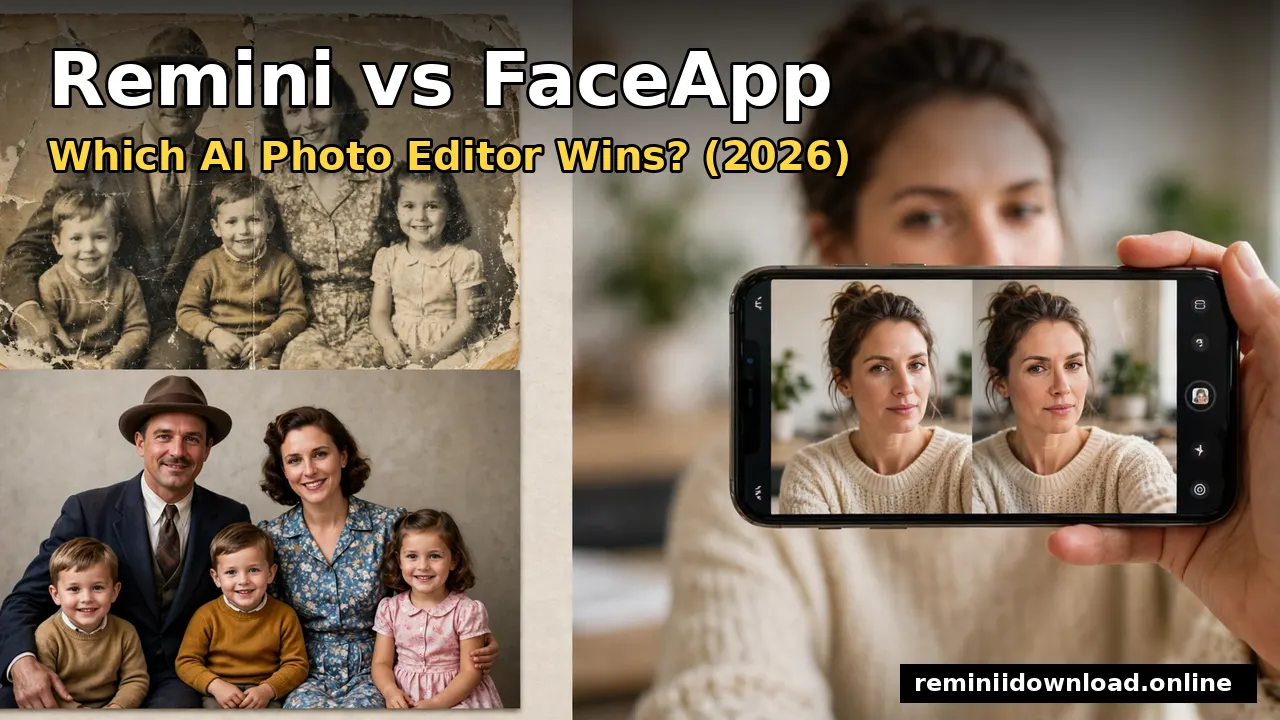
Remini vs FaceApp: Which AI Photo Editor Wins? (2026)

Remini wins if you want to restore and sharpen old or blurry photos into crisp HD; FaceApp wins if you want fun face transformations like aging, gender swap, and selfie retouching. They are both AI photo apps, but they solve different problems — this guide compares them head-to-head on features, pricing, privacy, and real results so you can pick the right one in 2026.
Table of Contents
Quick Verdict: Remini vs FaceApp at a Glance
| Remini | FaceApp | |
|---|---|---|
| Best for | Enhancing and restoring blurry, old, or low-quality photos | Fun face edits, retouching, and transformations |
| Developer | Bending Spoons (Italy/US) | FaceApp Technology Ltd |
| Signature features | AI Enhance, old photo restoration, colorization, video enhance | Old/Young filters, gender swap, smile, beard, hairstyle |
| Free tier | Limited daily credits | Many free filters; Pro styles locked |
| Paid plan | Pro around $9.99/month or ~$59.99/year | Pro from ~$7.49/month (App Store/Play in-app purchases) |
| Platforms | Android, iOS, Web | Android, iOS |
| Downloads | 100M+ (Google Play) | 500M+ (Google Play) |
| Video | Video enhancement included | Photo-only (video editing removed from newer versions) |
If you just want the short answer in this Remini vs FaceApp comparison: choose Remini for photo quality and restoration; choose FaceApp for face fun and retouching. Now let’s look at why.
What Remini Does Best
Remini is purpose-built as an AI photo enhancer. Its core strength is reconstruction: the app detects facial details in a blurry, pixelated, or faded image and rebuilds them with what the developer calls state-of-the-art generative technology. Where most editors just upscale pixels, Remini regenerates plausible detail — sharper eyes, cleaner skin texture, readable text in old documents.
In practice, that means Remini is the better tool when:
- Old family photos need rescue. Torn, faded, or scratched prints come back sharper and cleaner. Our old photo restoration guide walks through the full process.
- Low-resolution images need upscaling. Screenshots, WhatsApp-forwarded photos, and cropped sections of images can be enlarged up to roughly 4096×4096 pixels.
- Videos need sharpening. Remini’s video enhance feature works on short clips — a feature FaceApp doesn’t offer.
- Generative AI portraits. Features like AI Avatars and AI headshots turn a handful of selfies into professional-looking portraits, and tools like Remini Baby AI generate fun predictions like your future baby’s face.
Remini’s workflow is intentionally simple: open the photo, tap Enhance, and let the AI work. If you’re new, start with our complete guide on how to use the Remini app. The free tier gives limited daily credits; heavy users need the Pro subscription. You can read the full Remini subscription plans and pricing breakdown before deciding.
One honest limitation: Remini occasionally over-processes portraits, producing a slightly “plastic” skin look, and it struggles with extremely degraded or heavily compressed images. It’s a quality tool, not a creative toy.
What FaceApp Does Best

FaceApp is a selfie transformation app. Its AI edits faces rather than enhancing whole images: age them forward or backward, swap gender, add a smile, change hairstyles and colors, apply makeup, remove blemishes, and morph facial features. Its Old and Young filters went viral multiple times — the aging filter alone has been used by over 100 million people.
FaceApp is the better tool when:
- You want fun transformations. Aging yourself 30 years, seeing a gender-swapped version, or trying hairstyles before a salon visit.
- You want quick selfie retouching. Blemish removal, wrinkle smoothing, teeth whitening, and subtle “Impression” filters work in a tap.
- You want lots of free filters. FaceApp is free to download with no ads, and many popular filters cost nothing; the subscription unlocks premium styles and removes the watermark from some exports.
- You want simplicity. The editing flow is one photo, one filter, instant result.
FaceApp’s weakness is quality: it doesn’t restore or genuinely enhance resolution the way Remini does, and free exports can carry a small watermark. It also removed video editing from recent versions, so it’s a photos-only app now.
Feature-by-Feature Comparison
Photo Enhancement and Restoration

This is Remini’s home turf, and it’s not close. Remini’s AI was trained specifically to reconstruct degraded images — blurry faces, grainy old photos, faded colors. FaceApp has no restoration tools; at most it smooths skin, which is retouching, not enhancement.
Winner: Remini, by a wide margin.
Face Transformation and Retouching
FaceApp offers over 60 filters including age transformation, gender swap, smiles, beards, makeup, hair changes, and face morphing — an entertainment catalog Remini can’t touch. Remini’s filters are limited to enhancement styles; it has no age, gender, or hairstyle transformation.
Winner: FaceApp, by a wide margin.
AI Avatars and Generative Portraits
Remini has a full generative suite: AI Avatars, AI headshots, Baby AI, and similar models that train on 8–12 selfies and generate new portraits in different styles. FaceApp offers stylized filters but not true generative portrait creation. See our Remini AI Avatars guide for what the generative side can do.
Winner: Remini.
Video
Remini includes video enhancement for sharpening and upscaling clips (Pro feature; see how to enhance videos with Remini). FaceApp is photo-only.
Winner: Remini.
Ease of Use
Both apps are beginner-friendly one-tap tools. FaceApp edges ahead on fun factor — every filter is a surprise — while Remini is simpler for a single job: enhance and done.
Winner: tie.
Pricing Compared: Remini vs FaceApp
| Plan | Remini | FaceApp |
|---|---|---|
| Free | Limited daily enhancement credits | Many filters free, no ads; some Pro styles locked |
| Monthly Pro | Around $9.99/month | From ~$7.49/month (varies by region; Play/App Store also list $9.99/month options) |
| Yearly Pro | Around $59.99/year | Around $39.99/year (varies by region and store listing) |
| What Pro adds | Unlimited enhance credits, video enhance, no watermark | Premium filters, no watermark on exports, priority processing |
Prices shift by region and store, so check the in-app page before subscribing. Both subscriptions auto-renew — cancel before the renewal date if you only need a month. Remini’s weekly option (around $4.99–$6.99/week in some regions) suits short projects; FaceApp’s annual plan is the cheapest per-month route of the two.
Value verdict: if you edit photos daily, Remini Pro is the better investment; if you just want the fun filters, FaceApp’s free tier covers most of it.
Privacy and Data Safety
Both apps process photos in the cloud — and both have faced questions about it. Here’s what is actually documented.
FaceApp’s privacy history. In 2019, the app’s aging filter went viral and so did privacy concerns: photos are uploaded to FaceApp’s servers for processing, and the terms of service originally granted the company broad rights over user content. CEO Yaroslav Goncharov clarified publicly that FaceApp uploads only the photo you select for editing, stores it temporarily for performance reasons, and deletes most images from its servers within 48 hours; users can also request full data deletion. The company later updated its terms and privacy policy. Importantly, independent security researchers checked the app’s traffic: Avast’s head of mobile threat intelligence found no sign of nefarious data exfiltration, and researchers cited by The New York Times called the concerns overblown. FaceApp also notes that 99% of users never log in, so the company has no identifying data for them.
Remini’s approach. Remini likewise uploads your photos to cloud servers for AI processing — enhancement this heavy can’t run entirely on a phone. Bending Spoons publishes a privacy policy covering data retention and deletion requests. As with any cloud AI tool, avoid uploading sensitive documents or photos you wouldn’t share with a service.
Bottom line: neither app is a privacy disaster according to independent researchers, but both upload your photos to their servers. Read both privacy policies, use the official apps only, and never grant photo-library access if you only need to edit one image — pick it from the camera roll manually. For a deeper look at Remini specifically, see Is Remini Safe?.
Output Quality and Realism
In enhancement quality, Remini produces genuinely impressive results on faces and textures — though it can over-smooth skin. FaceApp’s strength is natural-looking transformations: its age and gender filters look convincingly real on selfies, a big reason they went viral.
One more practical note in the Remini vs FaceApp debate: where they disappoint. Remini can’t invent missing information forever — extremely damaged photos still come back imperfect. FaceApp’s free exports sometimes carry watermarks, and its resolution ceiling (around 1080px on some exports) is lower than Remini’s.
Which App Should You Choose in 2026?
Download Remini if you:
- Restore old or damaged family photos
- Fix blurry, pixelated, or low-resolution images
- Want AI-generated portraits and headshots
- Enhance videos as well as photos
- Need upscaling for prints or documents
Download FaceApp if you:
- Love aging, gender swap, and transformation filters
- Want quick selfie retouching (blemishes, wrinkles, smile)
- Prefer a generous free tier with no ads
- Enjoy playful, viral-style edits
Use both if you restore photos and play with portraits — they complement each other. A common workflow: restore an old photo in Remini, then stylize it in FaceApp.
Frequently Asked Questions
Is Remini better than FaceApp?
It depends on the job. Remini is better for enhancing and restoring photo quality; FaceApp is better for face transformations and retouching. For pure photo enhancement, Remini wins — for fun face edits, FaceApp wins.
Can FaceApp enhance blurry photos like Remini?
No. FaceApp is a face-editing app, not a photo enhancer. It smooths and stylizes faces but doesn’t restore resolution or repair damaged photos the way Remini’s AI does.
Can Remini do aging or gender swap filters?
No. Remini has no age-transformation or gender-swap filters. Its AI focuses on enhancement, restoration, and generative portraits like AI Avatars and AI headshots.
Is FaceApp safe to use in 2026?
FaceApp uploads selected photos to its servers for cloud processing and says most are deleted within 48 hours. Independent security researchers found no evidence of malicious data collection, but as with any cloud app, avoid uploading sensitive images. Use the official app from the Play Store or App Store only.
Which is cheaper: Remini or FaceApp?
FaceApp is cheaper overall — Pro starts around $7.49/month with an annual option near $39.99, and its free tier is generous. Remini Pro runs around $9.99/month or $59.99/year with limited free daily credits.
Do I need a subscription for either app?
Not necessarily. FaceApp’s free tier covers many popular filters. Remini’s free tier gives limited daily enhancement credits — enough for occasional use, but regular users will want Pro.
Can I use Remini and FaceApp on the same photo?
Yes. A popular workflow is to restore or sharpen a photo in Remini first, then open the result in FaceApp for stylistic edits. Both apps work from your camera roll.
Conclusion
There is no single winner in Remini vs FaceApp — there is only the right tool for your job. Choose Remini for AI photo enhancement, old photo restoration, and generative portraits; choose FaceApp for fun face transformations and selfie retouching. They complement each other well, so if your photos need both quality repair and playful edits, install both and use each for what it does best.
For official downloads and feature details, check the official Remini website and the official FaceApp app listing. Whatever you choose, start with the free tier and upgrade only when you hit its limits.
Disclaimer: We are not affiliated with Bending Spoons (Remini) or FaceApp Technology Ltd. All trademarks belong to their respective owners. This article is for informational and educational purposes only.
About the author: Hi, I’m Rahul Sharma — a tech enthusiast and digital content creator from India. For over 4 years I’ve helped users find safe, reliable apps, and I founded ReminiDownload.online to make photo enhancement accessible to everyone without expensive subscriptions. Note: I am not affiliated with Bending Spoons or the developers of any app mentioned here; all rights belong to their respective owners. I share information for educational purposes only and never host harmful files — your safety is my top priority.
