
Best Remini Alternatives 2026 – Top 10 AI Photo Enhancers

The best Remini alternative depends on what you need: Snapseed is the best completely free option, PicsArt is the strongest all-rounder for content creators, and Magnific AI produces the highest-quality AI upscaling. If old-photo restoration is your main goal, Remini itself is still hard to beat — our Remini Mod APK ultimate guide explains what makes it special.
Remini, developed by Bending Spoons, made AI photo enhancement mainstream by turning blurry, low-resolution shots into sharp, detailed images in seconds. But it is far from the only option. Some apps are completely free, others specialize in faces or video, and a few give professionals far finer control. Below, we compare the 10 best Remini alternatives for 2026 — with honest pricing, real trade-offs, and a clear recommendation for every type of user.
Table of Contents
Why Consider an Alternative to Remini?
Remini is excellent at what it does, but there are solid reasons to look elsewhere:
| Reason | Details |
|---|---|
| Platform limits | Remini is mobile-first; desktop editors like Lightroom suit bigger workflows. |
| Subscription cost | Remini’s premium plans are pricey, while tools like Snapseed cost nothing. |
| Specialized features | FaceApp (faces), CapCut (video), and VSCO (film looks) go deeper in their niches. |
| Privacy preferences | Some users prefer apps with clearer on-device processing and data policies. |
| Reliability | If the app keeps crashing, our guide to fixing the Remini Oops error can help — or a backup app can fill the gap. |
The 10 Best Remini Alternatives for 2026
Here are the top-rated alternatives, each tested for real-world use:
1. Snapseed – Best Completely Free Photo Editor
| Feature | Details |
|---|---|
| Platform | Android, iOS |
| Price | Free |
| Best For | Everyday photo editing and quick fixes |
| Key Features | Selective adjustments, Healing tool, HDR Scape, 29+ filters, RAW support |
Why it stands out: Google’s Snapseed remains one of the most capable free mobile editors. Its selective-adjustment brushes let you dodge, burn, and recolor precise areas like a desktop editor — with no ads, no watermarks, and no account required. It won’t AI-upscale a blurry photo the way Remini does, but for general editing it is superb and costs nothing.
Pros:
- 100% free with no ads or watermarks
- Professional-grade selective editing tools
- RAW photo editing support
Cons:
- No AI upscaling or old-photo restoration
- Interface feels dated compared to newer apps
- No video editing tools
2. PicsArt – Best All-in-One Creative Suite
| Feature | Details |
|---|---|
| Platform | Android, iOS, Web |
| Price | Freemium; paid plans from ~$10.50/month (billed yearly) |
| Best For | Social media creators |
| Key Features | AI background remover, object eraser, stickers, templates, video editing |
Why it stands out: PicsArt packs photo editing, AI effects, collage tools, and video editing into one app, backed by a huge template library. Its generative AI tools have improved rapidly and now rival dedicated apps for background removal and object erasing. If you create content daily, it can replace two or three separate apps. New to Remini itself? Skim our step-by-step Remini tutorial first so you can compare fairly.
Pros:
- Huge all-in-one creative toolkit
- AI tools improving quickly
- Photo and video editing in a single app
Cons:
- Free tier shows ads and limits AI credits
- Subscriptions add up over time
- Less focused on photo restoration
3. FaceApp – Best for AI Face Transformations
| Feature | Details |
|---|---|
| Platform | Android, iOS |
| Price | Freemium; Pro ~$5.99/month |
| Best For | Portraits and fun face edits |
| Key Features | Age filters, gender swap, hairstyle try-on, makeup, smile editor |
Why it stands out: Few mobile apps handle faces as well as FaceApp. Its neural networks produce the most realistic age transformations, hairstyle previews, and expression edits on mobile — results that still surprise people years after launch. For portrait fun and profile-picture polish, it beats Remini at its own game.
Pros:
- Most realistic face AI on mobile
- Simple one-tap results
- Huge fun factor for social sharing
Cons:
- Almost useless for landscapes or objects
- Face data is processed on remote servers — review the privacy policy
- Best filters require a subscription
4. Adobe Lightroom – Best for Professional Photographers
| Feature | Details |
|---|---|
| Platform | Android, iOS, Desktop, Web |
| Price | Freemium; Premium ~$9.99/month |
| Best For | Serious and professional photo editing |
| Key Features | Advanced color grading, presets, RAW workflow, cloud sync |
Why it stands out: Lightroom is the industry standard for a reason: superb control over color, tone, and detail, with edits that sync seamlessly between phone and desktop. Its AI masking (select subject, sky, or background in one tap) keeps getting smarter. Check Adobe’s official website for current plan details and trial offers.
Pros:
- Unmatched color and tonal control
- Seamless mobile-to-desktop workflow
- Massive preset and tutorial ecosystem
Cons:
- Steep learning curve for beginners
- No AI restoration like Remini’s
- Premium features need a subscription
5. CapCut – Best Free Video Editor with AI Tools
| Feature | Details |
|---|---|
| Platform | Android, iOS, Desktop, Web |
| Price | Free; Pro from ~$7.99/month |
| Best For | Video enhancement and social clips |
| Key Features | AI effects, auto-captions, transitions, background removal |
Why it stands out: From the makers of TikTok, CapCut is the rare app that is both free and genuinely powerful. Its AI tools — auto-captions, background removal, video upscaling — handle in minutes what used to need desktop software. If your “photo problem” is actually a video problem, start here before paying for anything.
Pros:
- Generous free tier with no export watermark
- Excellent AI video tools
- Available on every major platform
Cons:
- Photo editing features are basic
- Account and data-privacy questions linger
- Some advanced AI features need Pro
6. YouCam Enhance – Best for Selfie Enhancement
| Feature | Details |
|---|---|
| Platform | Android, iOS |
| Price | Freemium; premium ~$4.99/month |
| Best For | Selfies and portraits |
| Key Features | AI face retouch, skin smoothing, object removal, photo unblur |
Why it stands out: YouCam Enhance offers the closest Remini-like experience specifically for faces: one-tap unblur, skin retouching, and object removal tuned for portraits. The real-time preview makes it easy to dial in a natural look instead of an over-processed one.
Pros:
- Specialized for selfies and portraits
- Easy to use with real-time preview
- Solid AI unblur tool
Cons:
- Limited to faces — weak on other subjects
- Free version adds a watermark
- No video enhancement
7. Photoleap – Best for Creative AI Effects
| Feature | Details |
|---|---|
| Platform | Android, iOS |
| Price | Freemium; ~$7.99/month |
| Best For | Artistic edits and AI-powered creativity |
| Key Features | AI effects, layer-based editing, double exposure, artistic filters |
Why it stands out: From Lightricks (the studio behind Facetune), Photoleap is built for turning ordinary photos into art. Its layer-based editor and AI effects — from double exposures to painterly transformations — go far beyond simple filters, while exports stay high quality.
Pros:
- Unique creative AI effects
- True layer-based editing on mobile
- High-quality output
Cons:
- Subscription feels pricey for casual users
- Weak on pure photo restoration
- Effects can look overprocessed if overused
8. Funimate – Best for Social Video Effects
| Feature | Details |
|---|---|
| Platform | Android, iOS |
| Price | Freemium; Pro ~$6.99/month |
| Best For | Social media video creation |
| Key Features | Transitions, effects, music, AI animations |
Why it stands out: Funimate is built for TikTok, Reels, and Shorts creators who want eye-catching transitions and AI animations without a learning curve. Its effect library and music integration make short-form video editing genuinely fun rather than fiddly.
Pros:
- Creative video effects made for social platforms
- Easy to use, even for beginners
- Good social media integration
Cons:
- Limited photo editing features
- Watermark in the free version
- Best suited to short videos only
9. Magnific AI – Best for High-Resolution AI Upscaling
| Feature | Details |
|---|---|
| Platform | Web-based |
| Price | Paid plans from ~$39/month (now via Freepik credit plans) |
| Best For | Print-quality upscaling |
| Key Features | Generative upscaling up to 10K, detail enhancement, creativity controls |
Why it stands out: Magnific AI takes a different approach to upscaling: instead of merely sharpening pixels, its generative model reconstructs realistic detail — fabric weave, skin texture, architectural lines — at resolutions up to 10K. Professionals use it for large prints where Remini’s output would fall apart.
Pros:
- Superb upscale quality
- Adds genuinely realistic detail
- Ideal for print and professional work
Cons:
- Expensive for casual users
- Web-only, no mobile app
- Can “hallucinate” details — double-check faces
10. VSCO – Best for Film-Style Aesthetic Filters
| Feature | Details |
|---|---|
| Platform | Android, iOS |
| Price | Free Starter; Plus ~$2.50/month, Pro ~$5/month (billed yearly) |
| Best For | Aesthetic, consistent photo styles |
| Key Features | 200+ film-inspired presets, advanced editing tools, creative community |
Why it stands out: VSCO is the deliberate anti-AI choice: instead of computational enhancement, it offers the most tasteful film-emulation presets on mobile. Photographers who want a consistent, timeless look across their feed keep coming back to it year after year.
Pros:
- Beautiful film-style presets
- Clean, minimal interface
- Affordable annual plans
Cons:
- Limited AI features
- Monthly billing is pricey — go annual
- No video enhancement
Remini Alternatives at a Glance
| Tool | Best For | Price | AI Features | Platforms | Video |
|---|---|---|---|---|---|
| Snapseed | General editing | Free | Limited | Android, iOS | No |
| PicsArt | Creative suite | Freemium (~$10.50/mo yearly) | Yes | Android, iOS, Web | Yes |
| FaceApp | Face filters | Freemium (~$5.99/mo) | Yes | Android, iOS | No |
| Lightroom | Professional editing | Freemium (~$9.99/mo) | Partial | Android, iOS, Desktop, Web | No |
| CapCut | Video editing | Free (Pro ~$7.99/mo) | Yes | Android, iOS, Desktop, Web | Yes |
| YouCam Enhance | Selfie enhancement | Freemium (~$4.99/mo) | Yes | Android, iOS | No |
| Photoleap | Creative effects | Freemium (~$7.99/mo) | Yes | Android, iOS, Web | No |
| Funimate | Social video effects | Freemium (~$6.99/mo) | Yes | Android, iOS, Web | Yes |
| Magnific AI | High-res upscaling | From ~$39/mo | Yes | Web only | No |
| VSCO | Aesthetic filters | Freemium (~$2.50–$5/mo yearly) | Limited | Android, iOS | No |
How to Choose the Right Remini Alternative

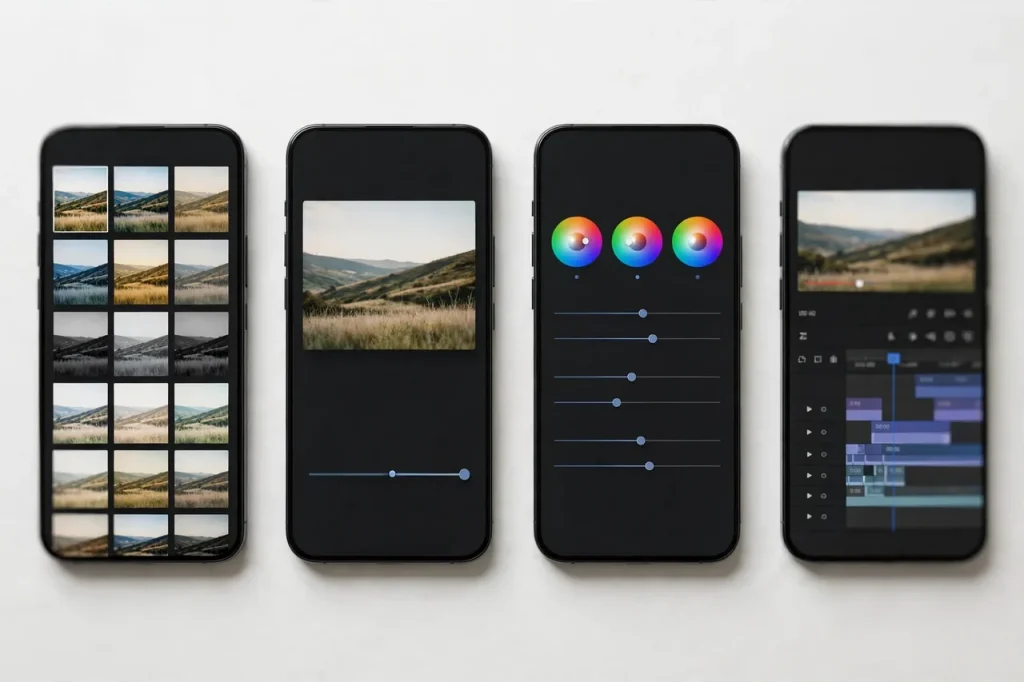
With ten strong options, picking comes down to four questions:
1. What is your primary use case?
- Old photo restoration: Magnific AI (paid) or Remini itself
- Selfie and portrait enhancement: YouCam Enhance, FaceApp
- Creative effects and art: PicsArt, Photoleap, VSCO
- Professional editing: Lightroom, Snapseed
- Video enhancement: CapCut, Funimate
2. Which platforms do you use?
- Android only: every app on this list
- iPhone: every app on this list
- Desktop or web: Lightroom, CapCut, PicsArt, Magnific AI
3. What is your budget?
- Free forever: Snapseed, CapCut (generous free tiers)
- A few dollars a month: VSCO Plus, YouCam Enhance, FaceApp Pro
- Professional budget: Lightroom, PicsArt Pro, Magnific AI
Tip: most paid apps offer free trials or freemium tiers — test before you subscribe.
4. What is your skill level?
- Beginners: FaceApp, YouCam Enhance, Funimate — one-tap results
- Intermediate: Snapseed, VSCO, CapCut — more control, still friendly
- Advanced: Lightroom, PicsArt, Magnific AI — professional depth
Final Verdict
There is no single winner among the best Remini alternatives — only the best one for your needs. Snapseed wins for free photo editing, PicsArt for all-round creativity, CapCut for video, and Magnific AI for uncompromising upscaling quality. Try two or three free tiers before committing to a subscription; the right app usually makes itself obvious within a day.
And if you decide Remini is still the one for you, our Remini Mod APK download guide walks you through everything, from features to installation.
Frequently Asked Questions
What is the best free alternative to Remini?
Snapseed is the best free alternative for photo editing — it offers professional-grade tools at no cost. For video, CapCut’s free tier is unmatched. Neither does AI restoration like Remini, but for general enhancement both are excellent.
Which app enhances old, blurry photos most like Remini?
Magnific AI comes closest for pure upscaling quality (it is a paid, web-based tool), while YouCam Enhance is the best mobile option specifically for blurry faces and selfies.
Can I use these Remini alternatives on a PC?
Yes. Adobe Lightroom and CapCut have full desktop apps, PicsArt and Magnific AI work in the browser, and most others can run via Android emulators.
Are these Remini alternatives safe to use?
Yes — every app listed here comes from a reputable developer. Always download from the official Google Play Store or Apple App Store, never from random APK sites.
Which is better for selfies: Remini, FaceApp, or YouCam Enhance?
For natural-looking selfie enhancement, YouCam Enhance is the most balanced. FaceApp wins for dramatic transformations and fun filters. Remini sits in the middle with strong general restoration.
Do I need a subscription to use these apps?
No. Snapseed and CapCut are effectively free, and every other app on this list offers a usable free tier. Subscriptions only unlock premium filters, higher limits, or watermark removal.
Disclaimer: We are not affiliated with Bending Spoons (Remini) or any app developer mentioned in this guide. All trademarks belong to their respective owners. This article is for informational and educational purposes only — pricing and features may change, so always confirm on the official app pages.
About the author: Hi, I’m Rahul Sharma — a tech enthusiast and digital content creator from India. For over 4 years I’ve helped users find safe, reliable apps, and I founded ReminiDownload.online to make photo enhancement accessible to everyone without expensive subscriptions. Note: I am not affiliated with Bending Spoons or the developers of any app mentioned here; all rights belong to their respective owners. I share information for educational purposes only and never host harmful files — your safety is my top priority.
